Add a driver
Quick path
Section titled “Quick path”- On Fleet → Drivers click Add driver.
- Enter First name, Last name and Phone.
- Enter the CDL number and License state; add the employee ID if you use one.
- Click Add driver. The new driver’s profile opens.
What it is and why
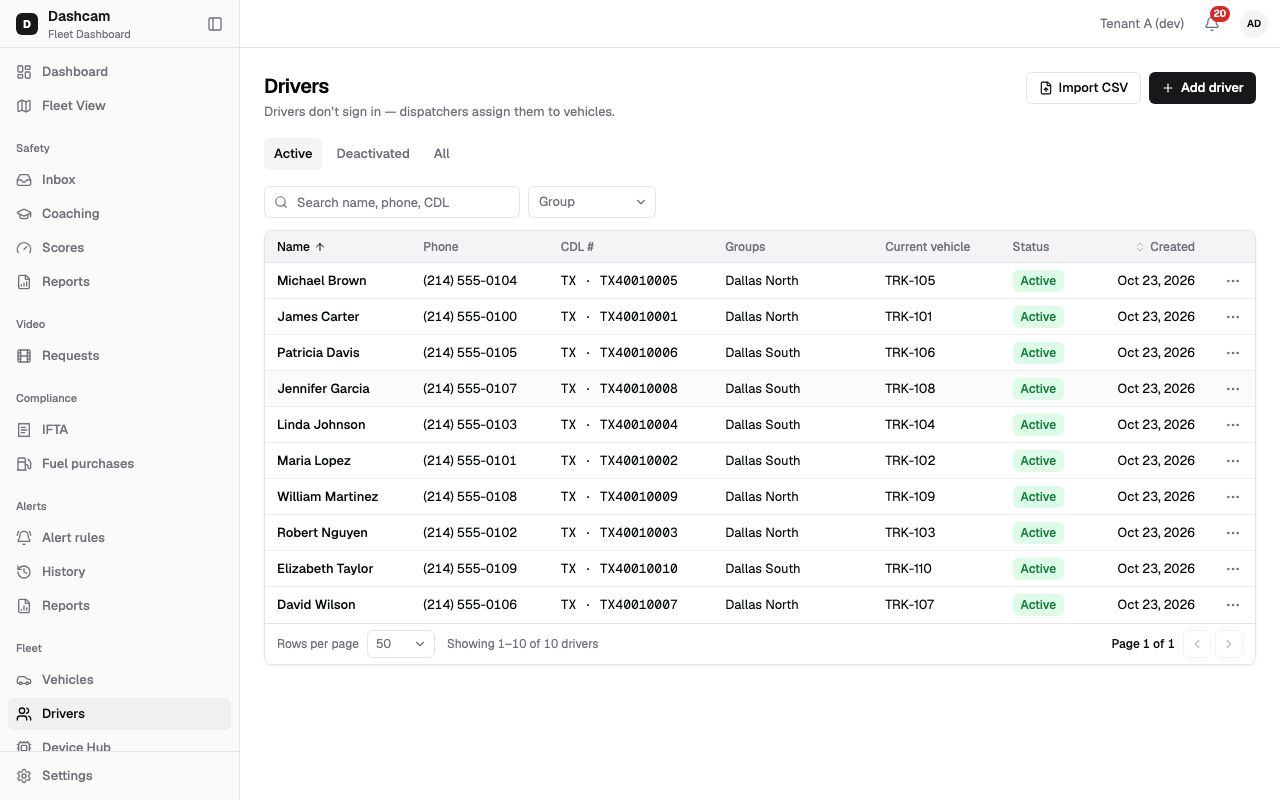
Section titled “What it is and why”A driver in Roudiy is a record, not a user: drivers don’t sign in to the Fleet Dashboard, so there is no invitation and no password. The page says it in one line: Drivers don’t sign in — dispatchers assign them to vehicles.
Once a dispatcher assigns a driver to a truck, that truck’s trips and safety events are linked to the driver, and they count in the driver’s safety score. For example, you add Maria Lopez with her Texas CDL; the next morning a dispatcher assigns her to TRK-103, and every event on TRK-103 from then on is hers. See Vehicles, drivers and assignments.
Before you start
Section titled “Before you start”- By default only the Company Admin can add drivers. Dispatchers and Compliance Managers can edit them; Safety Managers can only view them.
- Have the driver’s phone number and CDL (commercial driver’s license) at hand.
- Adding many drivers at once? Use Import drivers from CSV.
The replay could not be loaded. The steps below still describe every action.
Step by step
Section titled “Step by step”-
Open the form.
Go to Fleet → Drivers and click Add driver. A drawer titled Add driver opens on the right.
-
Enter the name and phone.
- First name and Last name — required, up to 60 characters each, for example
MariaandLopez. - Phone — required. A 10-digit US number that does not start with 0 or 1. You can type it as
(214) 555-0147,214.555.0147or+1 214 555 0147; the list then shows it as (214) 555-0147. Anything else shows Enter a US phone number. - Email — optional. A wrong format shows Enter a valid email.
- First name and Last name — required, up to 60 characters each, for example
-
Enter the license details.
- CDL number — required, up to 20 characters, for example
D1234567. One CDL number belongs to one driver in your company. - License state — required. The state that issued the CDL: one of the 50 states or DC, for example TX.
- Employee ID — optional, up to 30 characters, for example
E-100, if your company numbers its staff.
- CDL number — required, up to 20 characters, for example
-
Add groups and notes, then save.
- Groups — for example Dallas North. If your access is limited to certain groups, pick at least one of yours (Pick at least one of your groups); otherwise it is optional.
- Notes — up to 1,000 characters.
The form also shows a note: Drivers don’t sign in. Their trips, events and score follow the dispatcher’s assignment. Click Add driver. A message confirms Maria Lopez added. Closing with unsaved changes asks Discard changes? (Discard or Keep editing).
-
Check the profile.
The new driver’s profile opens. The Current vehicle card says Not assigned until a dispatcher assigns the driver to a vehicle from the vehicle’s Live tab.
What happens next
Section titled “What happens next”- The driver is on the Active tab of Fleet → Drivers. Search by name, phone or CDL (at least 2 characters).
- The driver gets no invitation and no password.
- A dispatcher assigns the driver to a truck on its Live tab with Assign driver. One driver has one vehicle at a time, and one vehicle has one driver.
If something goes wrong
Section titled “If something goes wrong”| Message on screen | Why | What to do |
|---|---|---|
| Enter a US phone number | The phone is not a 10-digit US number, or starts with 0 or 1. | Type the number as (214) 555-0147. |
| Enter a valid email | The email is not in the right format. | Correct it or leave the field empty. |
| A driver with this CDL already exists | Another active driver in your company has this CDL number. | Search for the CDL in the list; you may already have this driver. |
| A driver with this CDL already exists (deactivated). | The driver was added before and later deactivated. | Click Reactivate to bring the old record back with its history. |
| Pick at least one of your groups | Your access is limited to groups. | Pick one of your groups. |
Questions
Section titled “Questions”Does the driver get an invitation or a login? No. Drivers don’t sign in. Their trips, events and score follow the dispatcher’s assignment.
Can two drivers have the same phone number? Yes, the phone does not have to be unique. The CDL number does.
Can I assign a vehicle while adding the driver? No. Assignment is done by a dispatcher from the vehicle’s Live tab.